Glossary
Interface tour
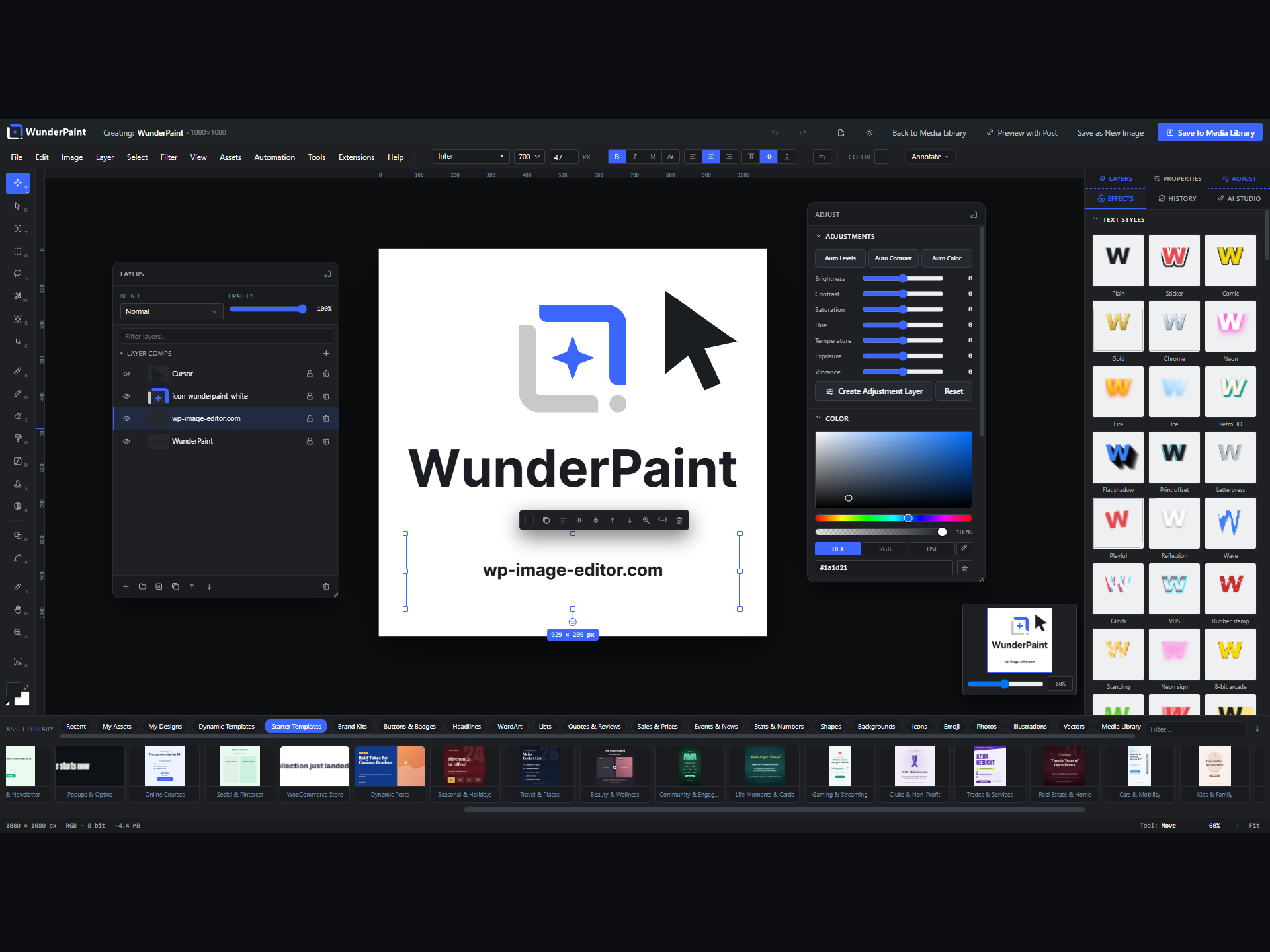
The editor opens full screen on top of wp-admin. Here is what lives where, so the rest of the glossary makes sense at a glance.
✎
Toolbar (left)
A vertical rail of tools. Click a tool, then set its options in the bar above the canvas. Each tool has a one-key shortcut.
≡
Menu bar (top)
File, Edit, Image, Layer, Select, Filter, Text, View, Automation, Tools, Extensions and Help.
▤
Panels (right)
Tabs for Layers, Adjust, Effects, AI and History, plus the context-aware Properties panel underneath.
❖
Canvas (centre)
Your document, with rulers, guides, a grid, snapping and a navigator. Tabs and pages sit around it.
▭
Title & status bars
Undo, compare, theme and save sit up top. Zoom, cursor position and document size sit at the bottom.
◱
Tabs & pages
Several documents open in tabs; a document can hold several pages. A dot marks unsaved changes.