3D Flip Studio
Everything made of paper that turns, curls and peels, as a real 3D object.
3D Flip Studio overview Extension3D Flip Studio 4 items #
Everything made of paper that turns, curls and peels, as a real 3D object.
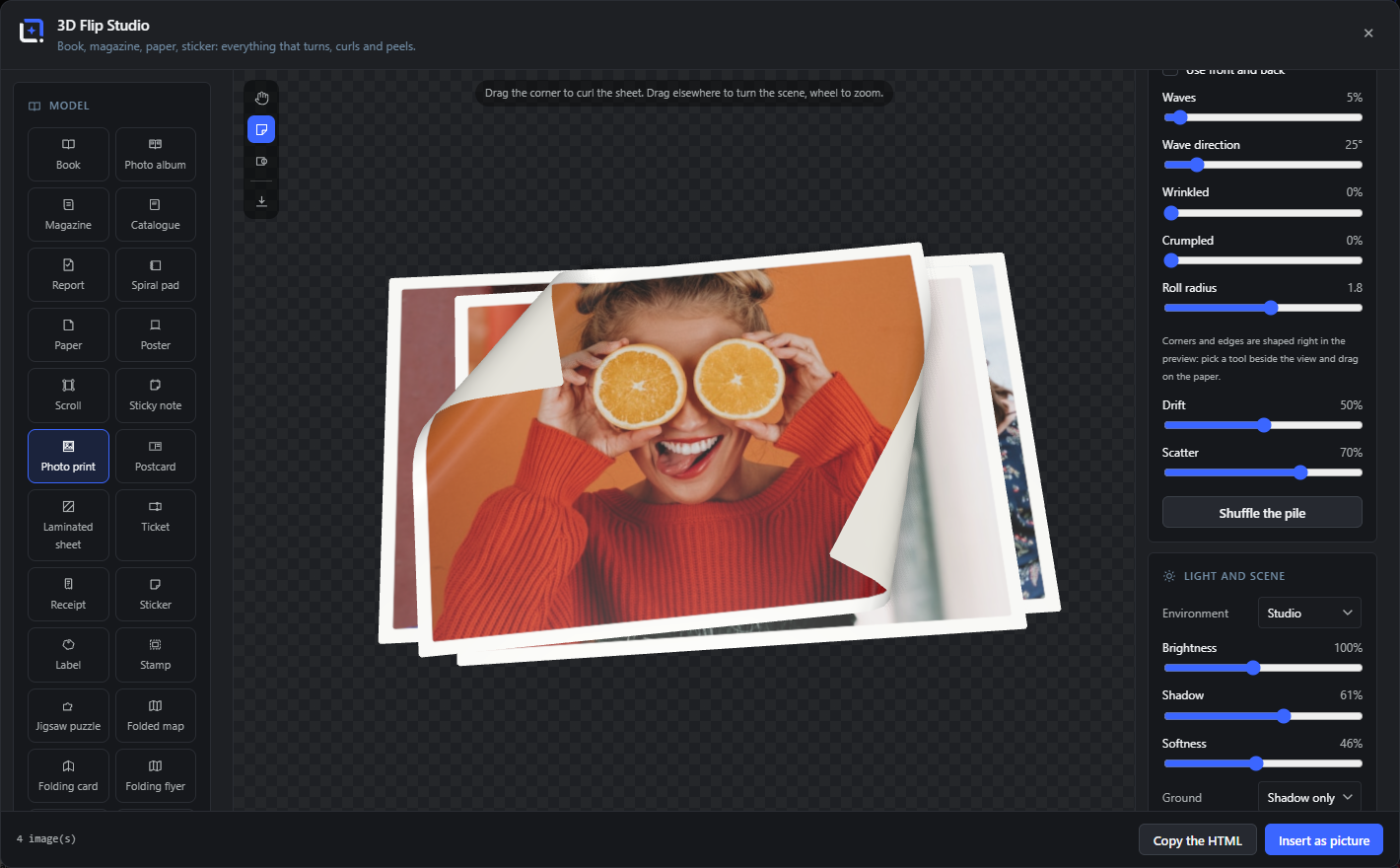
Everything made of paper that turns, curls and peels, as a real 3D object: a hardcover book you can actually leaf through, a limp glossy magazine, folded maps, menu cards, jigsaw puzzles, envelopes and a strewn pile of wavy sheets. Take hold of a page by its corner and drag: it lifts, curls the way paper curls, throws its shadow across the page underneath, and falls over once you let go past the middle.
Pages come straight from the media library, or from a PDF that is read page by page in your browser and never uploaded anywhere. The look is yours to shape: page shape, boards and backing, wave and corner-curl sliders, peel and pile controls for the loose models, plus light, shadow, camera and background.
Open it from the Extensions menu. Freeze any state and place it on the canvas as a picture with a transparent background, so a curled sheet or a half-peeled sticker can sit inside any design. Or copy one block of HTML that carries its own viewer and runs on any website, with no library, no CDN and no request to anyone else's server.
Drag to turn the scene, wheel to zoom.
#Dragging away from a page corner turns the whole object; the wheel moves the camera closer.
Drag a corner to turn a page
#Grabbing a corner turns that page rather than the object.
Spread %s of %s
#Which opening you are on, with arrows either side.
%d image(s)
#How many pictures the model is currently made of.
Model Extension3D Flip Studio 4 items #
Twenty-four kinds of paper thing.
The model decides what the object is made of and which controls apply: bound models get binding and covers, loose ones get waves, pile and peel.
Bound models
#Book, Photo album, Magazine, Catalogue, Report and Spiral pad: things with pages that turn.
Loose sheets
#Paper, Poster, Scroll, Sticky note, Photo print, Postcard, Laminated sheet, Ticket and Receipt.
Adhesive
#Sticker, Label and Stamp: the ones that peel off a backing.
Folded and cut
#Jigsaw puzzle, Folded map, Folding card, Folding flyer, Menu card and Envelope.
Source Extension3D Flip Studio 10 items #
Where the pages come from.
Pictures come straight from the media library, or from a PDF that is read page by page in your browser and never uploaded anywhere. A dynamic source renders per post.
Add images
#Opens the media library and adds the pictures you pick as pages.
Add a template
#Uses a saved design as a page rather than a picture.
Reading page %s of %s
#A PDF is being read page by page in the browser.
That PDF could not be read
#The file is not a readable PDF, or it is protected.
Drag to reorder.
#The page list can be rearranged by dragging.
Use front and back
#Treats the pictures as alternating front and back sides rather than as one side each.
Post
#A dynamic source: the pages come from a post, so the object renders per post on the front end.
Load preview
#Fills a dynamic source with one post so you can see it while you design.
Clear all
#Empties the page list.
Pick at least one page.
#Shown when the model has nothing to show yet.
Paper, binding and shape Extension3D Flip Studio 9 items #
What the object is made of.
Shape can follow the pictures you supplied or a fixed format. Fitting decides whether the artwork fills the page or fits inside it.
Shape
#The page proportions: from the pictures, or a fixed format.
Fitting
#Whether the artwork fills the page or sits inside it.
Paper
#The stock: how matt or glossy the sheet is and how it takes the light.
Binding
#Hardcover, softcover and the rest, for the bound models.
Cover color
#The color of the boards when the cover is not a picture.
Cover on its own
#Treats the first picture as the cover rather than as page one.
Paper per leaf
#How thick a single leaf is, which is what makes a thick book look thick.
Thickness
#The overall depth of the object.
Show the backing
#Draws the sheet a sticker or label peels off.
Turning, curl and peel Extension3D Flip Studio 8 items #
The movement, and where it is frozen.
Turned by is the control that matters for a still: it decides how far through the movement the object is caught, so you can freeze a page mid-turn or a sticker half off.
Curl
#How strongly paper curls as it lifts.
Speed
#How long a turn takes, in milliseconds.
Turned by
#How far through the turn the object is frozen. This is what you set before taking a still.
Opening
#How far a bound model is opened.
Open across, Open down
#Which way a folding model opens.
Flap
#The lifted flap of an envelope or a folding card.
Peel
#How far a sticker or label is lifted off its backing.
Take it off
#Peels the adhesive model right off the backing.
Loose sheets and the pile Extension3D Flip Studio 8 items #
Waves, stacking and how the sheets are cut.
These apply to the models that are not bound: a pile of paper, a scattered set of prints, a jigsaw.
Waves
#How wavy the sheets are, as paper that has been handled.
Wave direction
#Which way the waves run across the sheet.
How many
#How many sheets are in the pile.
Shuffle the pile
#Rearranges the sheets into a different scatter.
Arrange differently
#Another layout of the same sheets.
Cut differently
#Another cut for the die-cut and jigsaw models.
Refold differently
#Another fold pattern for the folding models.
Flatten
#Lays the object flat, which is what you want for a plain product shot.
Light, camera and background Extension3D Flip Studio 3 items #
The scene the object sits in.
The background is only for the preview when you insert a picture: the still is written out with transparency, so the object can sit in any design.
Two ways out Extension3D Flip Studio 5 items #
A still with transparency, or a self-contained embed.
The picture goes onto the canvas like any other layer. The HTML is one block that carries its own viewer inside it and runs on any website, with no library, no CDN and no request to anybody else server.
Insert as picture
#Freezes the current state and puts it on the canvas with a transparent background.
Inserted with a transparent background.
#Confirmation that the still is on the canvas.
Update the picture
#Replaces the layer of a flip you reopened instead of adding a second one.
Copy the HTML
#Copies one self-contained block that runs the flip on any website.
%d page(s) live only in this browser and would not show on a website. Put them in the media library first.
#The embed points at real URLs, so pages that exist only as local files cannot travel with it.