Drawing Templates
Six printable drawing templates from one image: paint by numbers, coloring page, tracing sheet, connect the dots, symmetry drawing and the grid drawing aid - all computed locally, inserted as editable layers.
Drawing Templates (studio) Extension 12 items #
Six printable drawing templates from one image: paint by numbers, coloring page, tracing sheet, connect the dots, symmetry drawing and the grid drawing aid - all computed locally, inserted as editable layers.
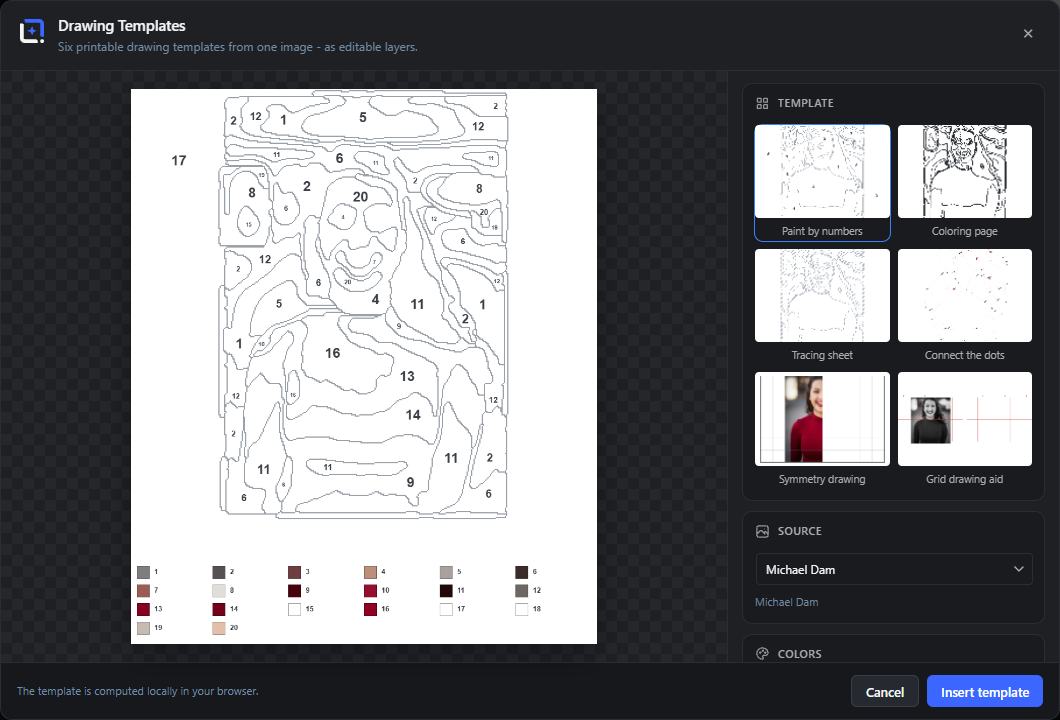
Printable drawing templates from one image, computed entirely in your browser: paint by numbers with flattened color regions and a numbered legend, a coloring page with closed, smooth outlines, a dashed tracing sheet for pen practice, connect the dots where every part of the motif becomes its own numbered contour, a symmetry sheet with one half drawn and one half empty grid, and the classic grid drawing aid with labeled cells.
The source is the whole document, any layer picked by name, or the media library. Paint colors can be pinned to preset palettes, your brand kit or custom colors, and every sheet takes a multi-line title in the editor font catalog.
Open it from the Extensions menu. Insert as an editable layer and reopen via Edit Drawing Templates.
Choose image
#Opens the media library to pick the source photo.
Use active layer
#Renders the selected layer and uses it as the template source.
Paint by numbers
#Flattens the photo into paintable color regions with thin contours, puts a number into every region and adds a numbered color legend. Colors sets the palette size, Smoothing melts small specks into larger patches.
Coloring page
#Closed, smooth region outlines from the same pipeline family as paint by numbers - real colorable patches instead of noisy edge pixels. The detail slider sets how many regions the picture keeps.
Connect the dots
#EVERY distinct part of the motif becomes its own numbered contour: running numbers across contours, a red ring marks each start, labels dodge collisions. Optional faint hint lines help younger kids.
Grid drawing aid
#The classic drawing method: the photo in grayscale under a labeled red grid, next to an empty grid with the same labels for practicing proportions. Grid cells sets the resolution.
Insert template
#Bakes the sheet and inserts it as an image layer scaled to the document. Right-click for Edit Drawing Templates to reopen it.
Tracing sheet
#The same closed region outlines, but dashed in a light gray - the classic follow-the-dashed-line practice sheet, clearly distinct from the coloring page.
Symmetry drawing
#One half shows the motif, the other half is an empty transfer grid across a dashed mirror line - complete the picture. Choose which half stays empty and how fine the grid is; the mirror line takes the accent color.
Source
#Templates pull their image from the whole document (default), any single layer picked by name, or the media library - the preview renders immediately.
Paint colors
#Paint-by-numbers colors come from the image by default. Or pin them: ten preset palettes, your brand kit or up to four custom colors - the sheet and its numbered legend use exactly those paints. The accent also colors the drawing-aid grid and the mirror line.
Title and font
#Every sheet takes an optional title of up to two lines, set in the editor font catalog with a 60-160% text size factor.